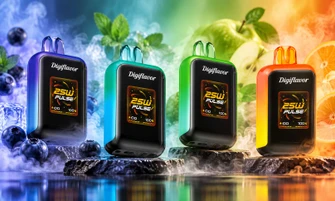


If you’re new to Geek Bar Pulse disposables or switching over from another device and wondering how to use a Geek Bar Pulse, you’re in the right place. This guide walks you through everything you need to know, step by step, from turning the device on and understanding its modes to reading the screen indicators, basic upkeep, and answering common questions. You’ll know exactly what to expect before your first draw and as you continue using it. If you prefer simple, clear guidance that gets straight to the point, this guide is exactly what you need.
Explore Our Categories


Table of contents
How to Turn On Geek Bar Pulse?
Geek Bar Pulse is a draw-activated device, which means there is no traditional on or off button. Once you remove the silicone plug from the mouthpiece, the device is ready to use.
A gentle inhale automatically activates the device.
-
When the switch is placed in the middle position, the device runs in standard mode.
-
When the switch is moved to the top position, Pulse Mode is activated.
-
Placing the switch all the way down turns the device off when it’s not in use.
This simple design helps reduce mistakes and makes the device beginner-friendly.
Geek Bar Pulse Settings
Understanding these geek bar pulse settings helps you decide how you want the device to perform during daily use. Geek Bar Pulse offers two operating modes controlled by the bottom switch.
Standard Mode
-
This mode balances flavor output and battery efficiency.
-
It uses a single coil system designed to extend overall usage time.
-
Standard mode is ideal if you want consistent performance throughout the day.
Pulse Mode
-
Pulse Mode activates a dual-coil setup for a stronger output per puff.
-
This mode increases intensity but uses more battery and e-liquid per draw.
-
Pulse Mode is best for shorter sessions where a stronger hit is preferred.
Switching between modes does not require powering the device off.
Why Does Geek Bar Pulse Stand Out?
Geek Bar Pulse stands apart from other disposables due to a combination of thoughtful design and user-friendly features. One major highlight is its dual-coil system, which adapts based on the selected mode. Another standout feature is the built-in smart screen. Unlike traditional disposables, users can clearly see battery percentage and e-liquid levels.
The device also supports USB-C charging, improving convenience and reducing downtime.
These features together make Geek Bar products more intuitive, especially for users who value clarity and control. Many users exploring disposables for the first time through Geek Bar often start with the Pulse series for this exact reason.
What Does the Screen Mean?
The screen on Geek Bar Pulse provides real-time usage information each time you inhale. The battery indicator appears at the top of the screen and shows a percentage value.
A lightning icon confirms charging status when connected to power. The operating mode is displayed in the center of the screen.
A hollow circle represents Standard Mode. A rocket icon indicates Pulse Mode is active. At the bottom of the screen, the e-liquid indicator shows remaining levels using bars and a droplet icon. This display helps prevent unexpected shutdowns due to low battery or depleted liquid.
How Does the Pulse Mode Work on Geek Bars?
Pulse Mode works by engaging both internal coils simultaneously. This allows the device to heat e-liquid more aggressively with each draw. The result is denser vapor output compared to Standard Mode. However, this mode consumes battery power and e-liquid at a faster rate.
Users who prefer controlled usage often switch back to Standard Mode for extended sessions.
Pulse Mode is optional and can be activated or deactivated anytime using the bottom switch.
How to Maintain Your Geek Bar Pulse?
Proper care helps ensure consistent performance until the device reaches the end of its lifecycle.
-
Always store the device upright when not in use.
-
Avoid dropping it, as internal components may shift or become damaged.
-
Keep the device away from direct sunlight or excessive heat.
-
Never wash the device with water.
-
If cleaning is necessary, gently wipe the exterior with a dry or lightly damp cloth.
-
When charging, follow recommended practices.
-
Use a compatible USB-C cable and avoid leaving it plugged in after reaching full charge.
Simple maintenance habits help prevent common issues and keep performance steady.
Troubleshooting Issues with Your Geek Bar Pulse
- If the device does not activate, check whether the bottom switch is in the off position.
- If the screen blinks or fails to respond, confirm that the battery is not fully depleted.
- If charging does not start, inspect the charging port for dust or debris. Gently clearing the port often resolves the issue.
- If performance remains inconsistent, the device may have reached the end of its usable life.
Final Thoughts
By getting to know the Geek Bar pulse instructions, you can help ensure smooth operation from unboxing to final use. The simple draw-activation system, clear screen indicators, and adjustable modes make the device easy to manage for both new and experienced users. For those looking for trusted disposable vapes, Geek Bar Depot offers authentic products and essential resources that make shopping both simple and satisfying.
Frequently Asked Questions
How Do I Know When The Battery Is Low?
The screen displays the battery percentage clearly, allowing you to monitor power levels before the device shuts down.
Can I Take Geek Bar Pulse On a Plane?
Yes, the device can be carried in your carry-on luggage, but it should not be used during the flight.
Can I Share Geek Bar Pulse With Someone Else?
No, disposable vapes are designed for personal use and should not be shared.
How to charge a Geek Bar Pulse?
To charge your Geek Bar Pulse, connect the USB-C cable to the device's charging port and plug it into a power source. The LED light will indicate charging.
Do you want to know more about the Geek Bar Pulse Vape? Check our blog section or contact us via email at support@geekbardepot.com, or you can call us at 404-903-5146 or reach us through the contact us page. Our customer service team can help you.